Just tell it, in words,
what you want to know.
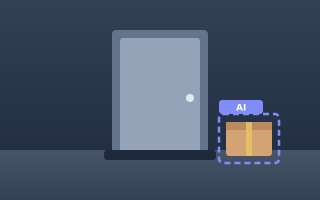
"Tell me when a package is left at the front door." Linus Eye detects and records motion, sounds, and changes in the scene, such as things being left or taken away. AI then checks whether the event matches the condition you wrote and sends you a short summary. Fewer alerts for trees in the wind or shadows, and more focus on what you want to know.
Recording and detection
are free, up to your free space.
No ads. Record on detection or all the time. Motion, people, vehicles, animals and loud sounds are detected on the device itself, and recordings are saved there (the oldest are overwritten within the period and space you set). Look back through recordings on a timeline, and send them to LINE, other messengers or other apps.
Live viewing and remote control from your other devices are free to try for 14 days after you sign up.
Even when you're out,
watch, talk and control.
Live view, two-way talk, a siren, turning the camera on or off and changing its settings, all from wherever you are. You can also watch recordings saved on your other devices. AI checks the video and sends you a summary, and analyzed detection clips are also saved in the cloud.
See Linus Eye in action
From placing a phone to telling it what you want to know (about 40 seconds, with sound). Narration in Japanese.
* Some footage is AI-generated imagery. The app screens are real (with test data). AI judgements can be wrong.
Three steps, and AI keeps watch
No special camera or wiring. All you need is a phone and the app.
Place your phone
Install the app on an Android phone and place it where you want to watch. It runs on old and low-end phones with Android 7.0 or later, and keeps working with the screen off.
Write what you want to know
Write something the video can show, in everyday words, like "if the back door opens" or "if someone gets up and walks around at night."
AI checks and alerts you
AI checks the clips recorded on motion or loud sounds. When it judges that your condition is met, you get a short summary.
Ways to use it
Instead of "alert me on every movement," tell each camera what you want to know.

Home security
Watch the front door, windows or balcony while you're away or asleep. You can also sound a siren to deter intruders.

Family living apart
Check on an elderly family member, with their consent. Two-way talk lets you say hello, too. It is not an emergency or care alert service.

Pets home alone
Check on them live while you're out. AI tells you about mischief, too.
Shops, garages and storerooms
Watch the shop after closing, a garage or a storeroom. View several cameras together on a PC.
Almost everything you need is free
You only pay for more AI summaries and longer cloud storage. Every other feature is free.
Detects motion, objects and loud sounds
Set detection zones, tell people, vehicles and animals apart (processed on the device), and react to loud sounds such as breaking glass.
Records changes even without motion
Compares the scene every minute and keeps before-and-after photos when something is left or taken away. Once things settle, AI compares the first and last scene and lets you know (counts as an AI summary).
Daily digest email
At the time you choose, get an email that sums up the past 24 hours of AI analysis for each camera, with photos of the key moments (paid plans and the free trial).
AI suggests your request
Write briefly what you want, and AI suggests 2 to 3 requests that spell out what to alert you about, what to note in the summary, and what not to alert you about.
Free recording on the device (within your free space)
Record only on detection or all the time. The oldest recordings are overwritten automatically within the period and space you set.
Live view, talk and siren
Check in live while you're out, talk through the camera, or deter intruders with a siren or light.
Schedules and remote control
Turn on and off automatically by day and time. Turn the camera on or off and change its settings from your other devices.
Several cameras on one PC screen
See several cameras on one screen in your browser (up to 5 on paid plans). Look back through cloud recordings on a 24-hour timeline.
Works with the screen off
Keeps watching in the background (some phones need a change to their battery-saving settings). Works on old and low-end phones with Android 7.0 or later.
Your video is yours
This camera looks into homes and shops, so we built security into the design from the start.
Designed so the operator cannot view recordings
Cloud recordings are protected with a dedicated encryption key, and the service is designed so the operator cannot view them. The operator's admin screens have no feature for showing video either. Any change to this setup is detected and logged automatically, and an outside company (Shinmei Co., Ltd.) regularly checks that the setup has not been changed.
* The server program decrypts recordings automatically only to run features you have set up, such as AI analysis.
Stored in the AWS cloud
Cloud recordings are stored on AWS (Amazon Web Services), which meets strict security standards. They are encrypted in transit and at rest, and deleted automatically when the retention period ends. You can choose whether to save to the cloud.
Live video goes device to device
Live video normally travels over an encrypted device-to-device connection, without going through our servers. Recordings saved on the device are not sent to the server.
Only your devices can watch
Your cameras can be viewed only from devices signed in to your account. There is no sharing with third parties, and no location data is collected. No ads, and no tracking for ads.
Your video is not used to train AI
AI analysis uses a paid AI service that does not use what we send for training. Analysis results are stored encrypted and deleted automatically when the retention period ends.
Run by a Japanese company under Japanese law
Operated by ENTER DB, K.K. (Japan). The Terms of Service and Privacy Policy are written in Japanese, and we publish the notice under the Specified Commercial Transactions Act and the external transmission notice. When you delete your account, your cloud recordings and account are deleted right away.
Pricing
Paid plans start with a free first week. Cancel any time (prices include tax).
Free
- 2 cameras
- 30 AI summaries in the first 7 days
- AI-analyzed clips kept in the cloud for 7 days
- Live view, alerts and on-device recording
- Camera status may be up to 10 minutes late
Light
- 2 cameras
- 150 AI summaries a month
- AI-analyzed clips kept in the cloud for 14 days
- Keep 10 important clips for 1 year
Standard
- 3 cameras
- 300 AI summaries a month
- AI-analyzed clips kept in the cloud for 1 month
- Keep 30 important clips for 1 year
Pro
- 5 cameras
- 800 AI summaries a month
- AI-analyzed clips kept in the cloud for 3 months
- Keep 50 important clips for 1 year
Subscribe in the Android app (Google Play). The Android app is currently available in Japan and Korea. A plan you buy applies to your account on all your devices. If you run short of AI summaries in a month, paid subscribers can buy extra analyses (100 for ¥400 or 300 for ¥1,000, valid for 90 days from purchase). The daily digest email is available on paid plans and during the free trial. AI analysis and summaries are made with generative AI (Google Gemini) and can be wrong. For 6 or more cameras, please contact us about a business contract (contact@enterdb.com).
FAQ
Does it work on old or low-end phones?
Yes. With Android 7.0 or later, phones and tablets that are several years old can work as cameras. The app measures how fast the device is, adjusts the object detection interval automatically, and suggests lighter settings for slow devices. However, the device must be able to update Chrome (or Android System WebView) to version 111 or later. Some old devices that cannot update it through Google Play are not supported.
Can I use it on an iPhone?
For now, the camera app is Android only. From an iPhone or a PC, you can watch live video and recordings in a browser.
The phone is plugged in, but the battery drops to 0% and it turns off
Some models have a feature that protects the battery from long charging. Once the battery reaches 100%, they stop charging and never resume, so the phone runs on battery while still plugged in and turns off at 0%. In the phone's Settings → Battery, turn off battery management or charging protection (it may be called long-term charging, battery care or similar), and set Linus Eye to "Don't optimize" (or "Unrestricted"). If it still stops, plugging the cable back in when the camera sends a "power disconnected" alert restores charging.
What does the AI do?
AI checks the short clips recorded on motion or loud sounds against the condition you wrote, and writes a summary. Video is not sent all the time, only when something is detected.
The AI's judgements and summaries are made with generative AI (Google Gemini) and can miss things or be wrong. AI alerts are meant to help you check. They do not guarantee that every event is reported, and they do not judge safety or health. Please check important moments in the recordings.
Where are recordings stored?
Recordings are stored on the device (free, within the device's free space). Detection clips analyzed by AI (up to 1 minute) are also stored in the cloud and deleted automatically when your plan's retention period ends.
Can the operator really not see my recordings?
The service is designed so the operator cannot view your recordings. For cloud recordings, the storage (AWS) and the key (an encryption key used only by Linus Eye) are managed separately, and only specific server functions can use the key: uploading recordings, playback in your app, AI analysis, photos in alerts, and the digest email. On AWS, "deny" rules take priority over administrator permissions, so even if the operator takes files out of storage, they stay encrypted. The operator's admin screens have no feature for showing video, photos, AI summaries or AI requests. Each use of the key is logged (AWS CloudTrail).
However, there are limits:
- Automatic processing decrypts recordings: when the functions above run, the server program decrypts recordings automatically. For AI analysis, video is sent to Google's AI (Gemini) for processing.
- The setup can be changed: by design, the operator (the AWS account administrator) can change the key rules and the programs of the functions allowed to use the key.
- How changes are watched: a change to the key rules is detected automatically, the operator is notified, and a record is kept. Program changes are also recorded. In addition, an outside company (Shinmei Co., Ltd.) regularly checks that the key rules have not been changed.
Are there requests the AI won't accept?
The camera does not only see you, the app user. To protect the privacy of the people it captures, such as family, visitors and passers-by, the AI does not accept the following requests.
- Identifying or telling people apart: Japan's Personal Information Protection Commission asks businesses that use features which tell "who" someone is from their face (face recognition) to handle them carefully, for example by informing the people captured. This service cannot be used to identify people, including telling family members apart.
- Judging traits such as race or health: this can lead to discrimination or unfair treatment. Race, medical history and similar details are also treated by law as information requiring special care.
- Peeping on private moments or surveillance aimed at a specific person: this may break laws, for example on voyeurism or stalking.
These uses are also prohibited by the Terms of Service (Article 8). The AI describes people by apparent age group, such as "child," "adult" or "elderly person," and by their clothing and actions. For example, "Tell me if an elderly person has fallen on the floor" or "Tell me if a child goes out the front door alone" work, but "Tell Grandpa and Mom apart" does not. AI alerts are notices that help you keep watch. They do not guarantee that falls or similar events will be detected, and they do not diagnose health conditions.
Can it record audio?
Audio recording can be turned on only after you accept a notice. You are responsible for following the laws on recording audio.
In which language are AI summaries sent?
AI summaries and alerts are sent in the app language of the device used as the camera. To change it, change the language in the app settings on that camera device. Writing your request in another language does not change the summary language. The language of the daily digest email can be chosen separately in Settings → Daily digest email.
Can I sign in with a Google account?
Yes. If you already have an account made with the same email address, signing in with Google takes you to that account. You can also sign in with a code sent by email.
How do I cancel or delete my account?
You can cancel a paid plan any time from "Subscriptions" in Google Play. You can delete your account in the app settings, and your cloud recordings and account information are deleted right away.
Turn the phone in your hand into a care camera, starting today
Core features are free. Try AI summaries free for your first 7 days, up to 30.
Get it on Google Play Download on the App StoreComing soon